# Access to The Private Pod
### **Accessing & Reserving the Private Pod (Room 107)**
All MLML faculty, staff, and students have **full access to the Private Pod calendar** and can make reservations directly through Google Calendar.
**Add the calendar:** You can add **MLML Main Lab-1-107-MLML – The Private Pod – Room 107 (20)** by going to **Other calendars → + → Browse resources**, or use the **direct calendar link below.**
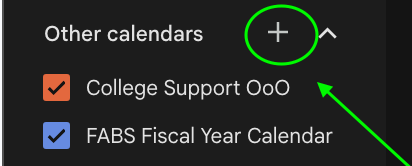
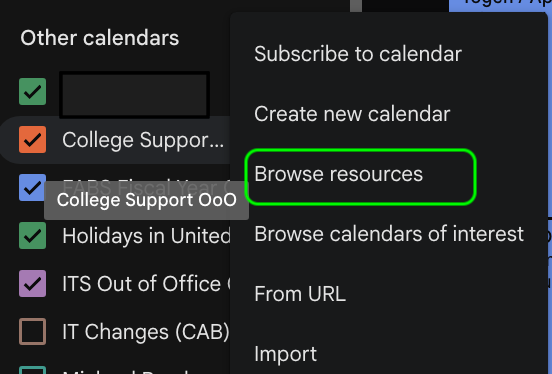
Resource Calendars:
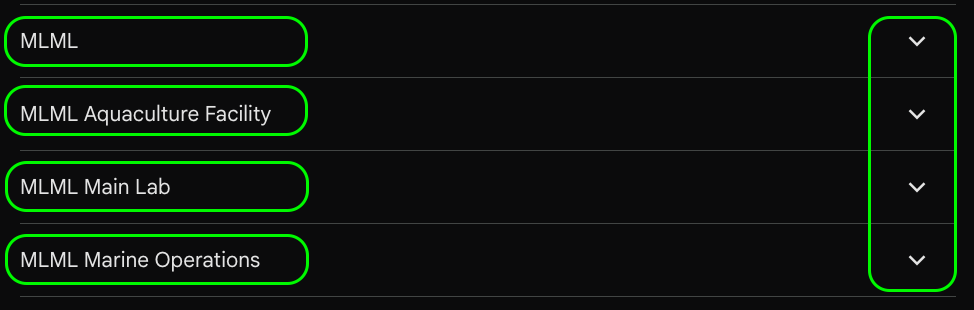
From the Dropdown arrow, select the calendar of interest: ***(The Private Pod)***
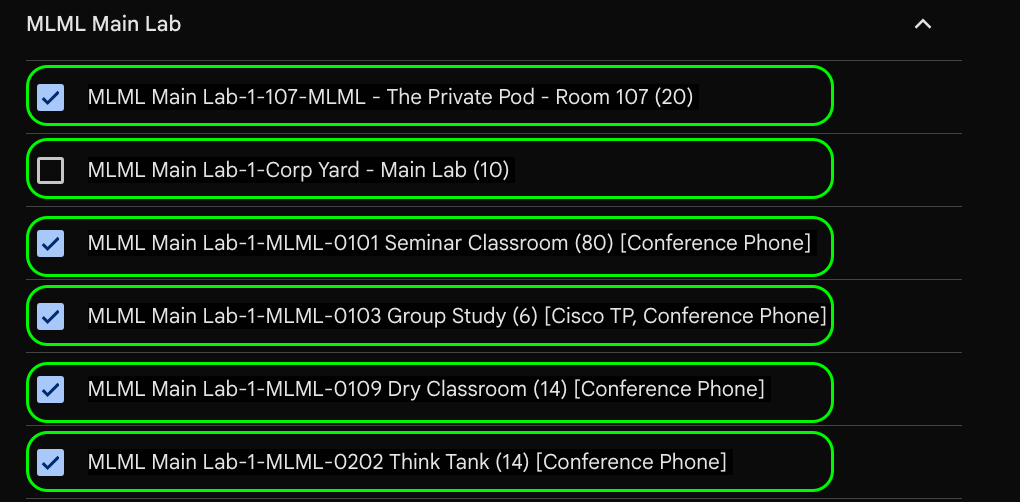
#### **Private Pod Calendar:** [*Direct Link*](https://calendar.google.com/calendar/u/0?cid=Y18xODhiY3NvMG84dTM2aGEwaDYxOW8zZWFjYzZpbUByZXNvdXJjZS5jYWxlbmRhci5nb29nbGUuY29t)
**Make a reservation:** Select an available date/time on the Private Pod calendar and create your event. Be sure to **add yourself and any attendees as guests**, then save.
**Tip:** Once added, you can **check/uncheck the Private Pod calendar** to show or hide it from your Google Calendar view.
**For more on [MLML Google Calendar and Reservations.](https://kb.mlml.sjsu.edu/books/classrooms-academic-technology/chapter/calendars-reservations)**