# Connect to a File Server with a Specific Username (macOS)

  
To connect to an SMB file server using a different username, you can use this procedure:

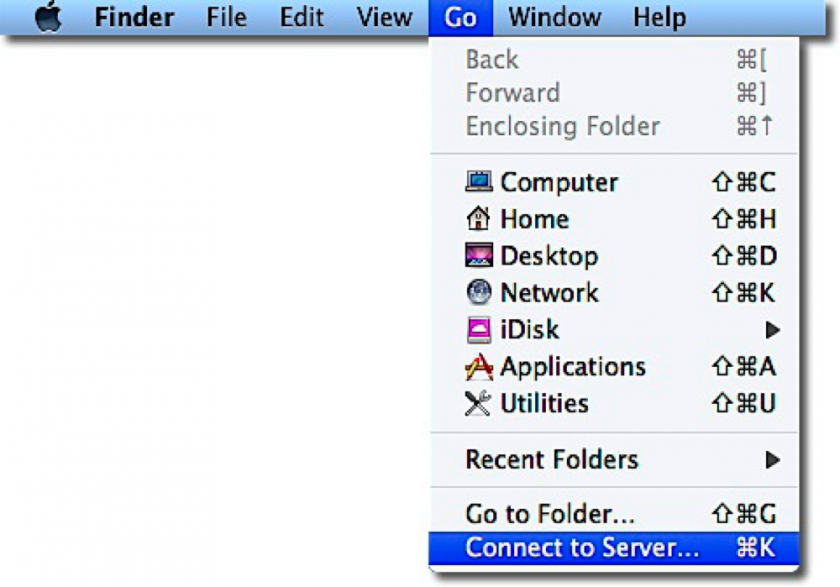
1. In the Finder, choose the **Go** menu, then select **Connect to Server**. <div><dl class="file"><dt class="attach-image">![](https://kb.mlml.sjsu.edu/uploads/images/gallery/2019-02-Feb/scaled-840-0/image-1550600169178.png)
    
    </dt></dl></div>
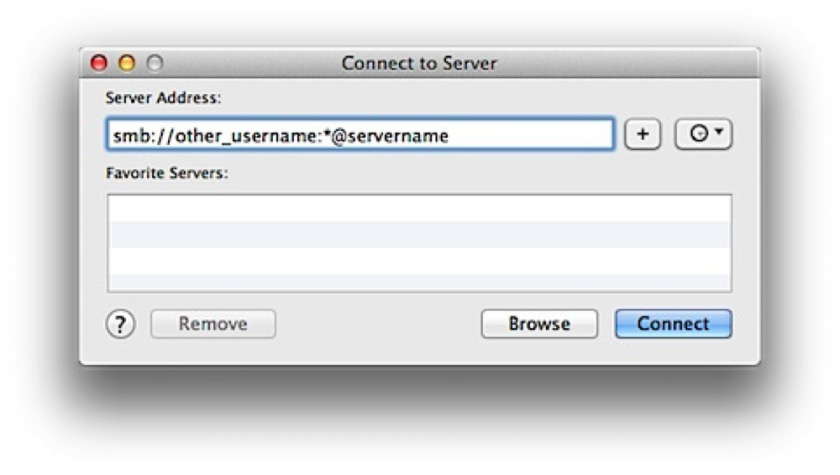
2. Type the network address for the computer or server in the **Server Address** field in the following format:  
    **smb://username:\*@server.name**<div><dl class="file"><dt class="attach-image">![](https://kb.mlml.sjsu.edu/uploads/images/gallery/2019-02-Feb/scaled-840-0/image-1550600245193.png)</dt><dd></dd></dl></div>
3. The **” \* ”** is to trigger the server login window for your SMB server, so that the password for the **username** account can be entered.
4. Click the **Connect** button.
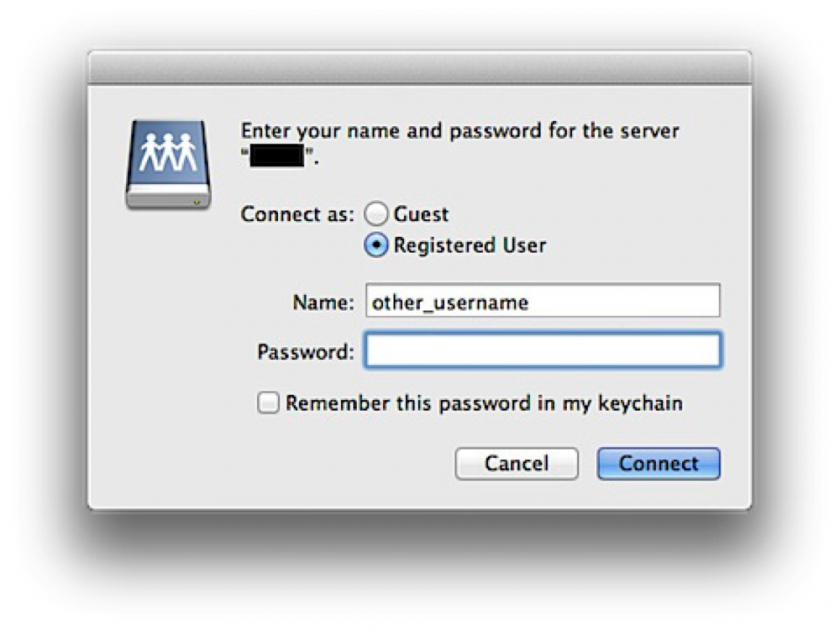
5. Enter the desired username and password when prompted:  
    **Username:** *username*  
    **Password:** *The current account password for username*<div><dl class="file"><dt class="attach-image">![](https://kb.mlml.sjsu.edu/uploads/images/gallery/2019-02-Feb/scaled-840-0/image-1550600270465.png)
    
    </dt><dd></dd></dl></div>
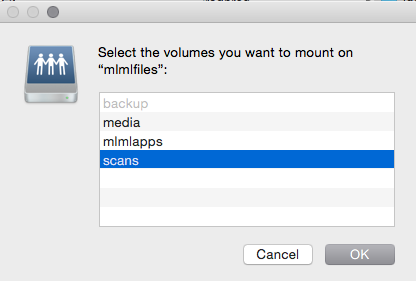
6. Select the share on your SMB server that you want to use. <div><dl class="file"><dt class="attach-image">![](https://kb.mlml.sjsu.edu/uploads/images/gallery/2019-02-Feb/scaled-840-0/image-1550600304007.png)
    
    </dt><dd></dd></dl></div>**WARNING:** Do not try to mount the same share twice using different usernames.  
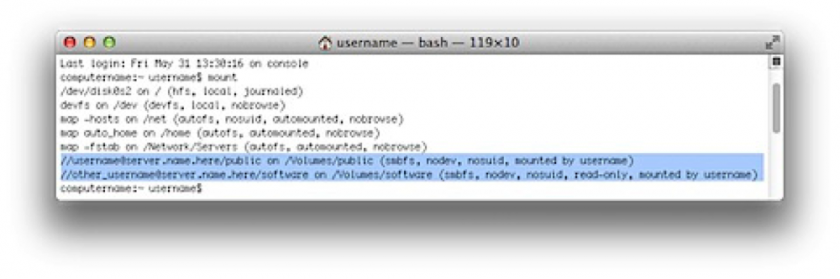
    One way you can verify that you’re actually connected using different usernames is to use the **mount** command in **Terminal.**<div><dl class="file"><dt class="attach-image">![](https://kb.mlml.sjsu.edu/uploads/images/gallery/2019-02-Feb/scaled-840-0/image-1550600322339.png)</dt><dt class="attach-image"></dt><dd></dd></dl></div>This should show all mounted volumes on the Mac, including mounted fileshares. The fileshare mount information should include which account was used to mount the share.