
Access to The Private Pod
Accessing & Reserving the Private Pod (Room 107)
All MLML faculty, staff, and students have full access to the Private Pod calendar and can make reservations directly through Google Calendar.
Add the calendar: You can add MLML Main Lab-1-107-MLML – The Private Pod – Room 107 (20) by going to Other calendars → + → Browse resources, or use the direct calendar link below.
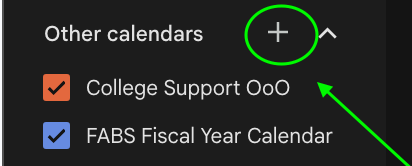
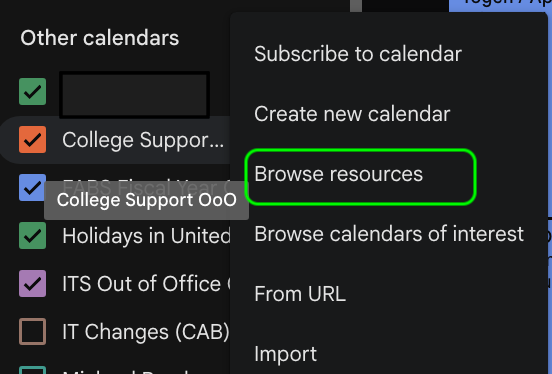
Resource Calendars:
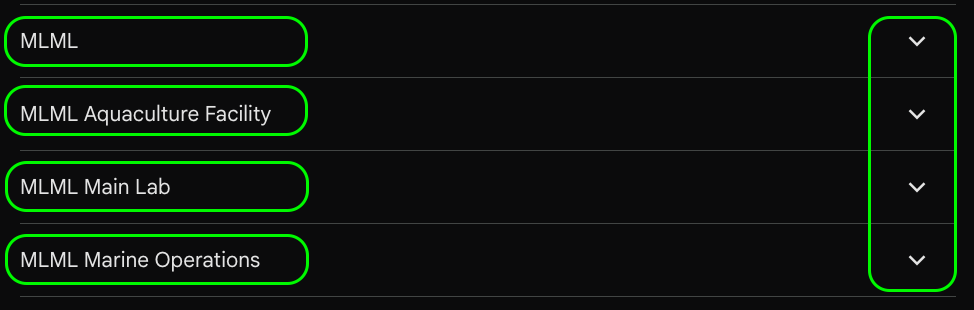
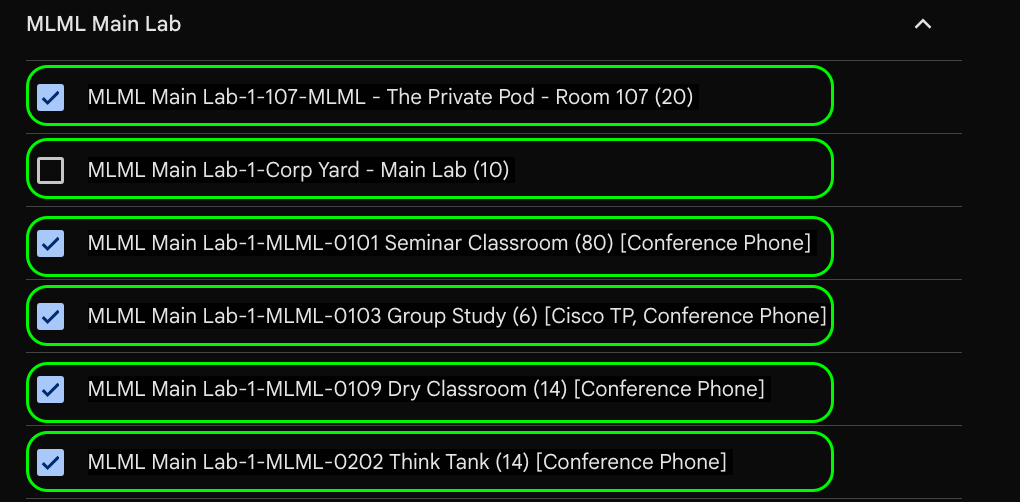
From the Dropdown arrow, select the calendar of interest: (The Private Pod)
Private Pod Calendar: Direct Link
Make a reservation: Select an available date/time on the Private Pod calendar and create your event. Be sure to add yourself and any attendees as guests, then save.
Tip: Once added, you can check/uncheck the Private Pod calendar to show or hide it from your Google Calendar view.
For more on MLML Google Calendar and Reservations.
No Comments